|
»Click here to display Table of Contents«
|

Curve Graphics |

|

|

|

|
|
Curve Graphics |
|
|
|

|
|
»Click here to display Table of Contents«
|
Curve Graphics |
|
|
|
|
|
Curve Graphics |
|
|
|
|
A graphic entity for any dimensional curve is now available. Apart from its usage in curve-curve contact as described above, this graphic can also be used in Advanced Joints as in Point-Curve joint and Curve-Curve Joint.
To add a curve graphic, right click on the Graphics toolbar  and select “Curve” from the Type drop down menu.
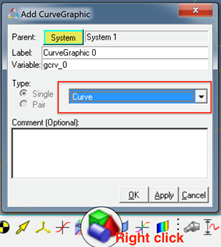
Benefits include:
| • | Flexibility in defining curve graphic |
A curve graphic can be either created using an existing marker as a reference frame or the reference frame can be implicitly created using a Body/Point/Orientation method when a marker does not exist.
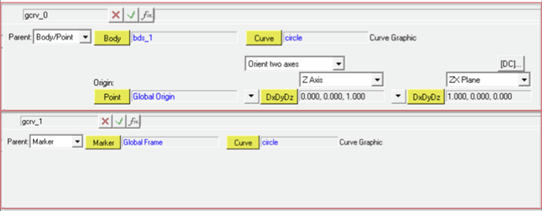
The graphic needs to refer to a 3D Cartesian Curve entity.
| • | Use on screen points/nodes to create curve graphic |
New macro “Create Curves from Points/Nodes”  can help to create the necessary curve graphic by selecting points or nodes (from the h3d graphic) on the screen. In this case, the macro automatically creates the necessary curve graphic and the 3D Cartesian curve entity for you.
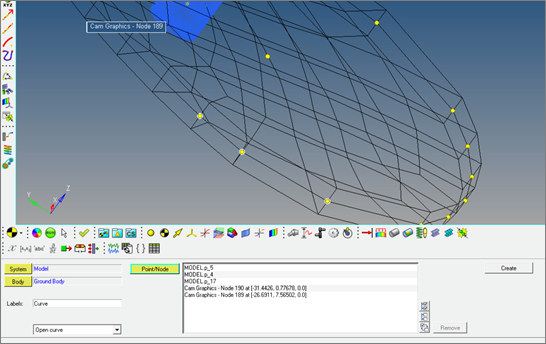
Additional graphical enabled features to define curves will be available in a future version.